

SocialOomph Review 2026: Features, Pricing, Pros & Cons

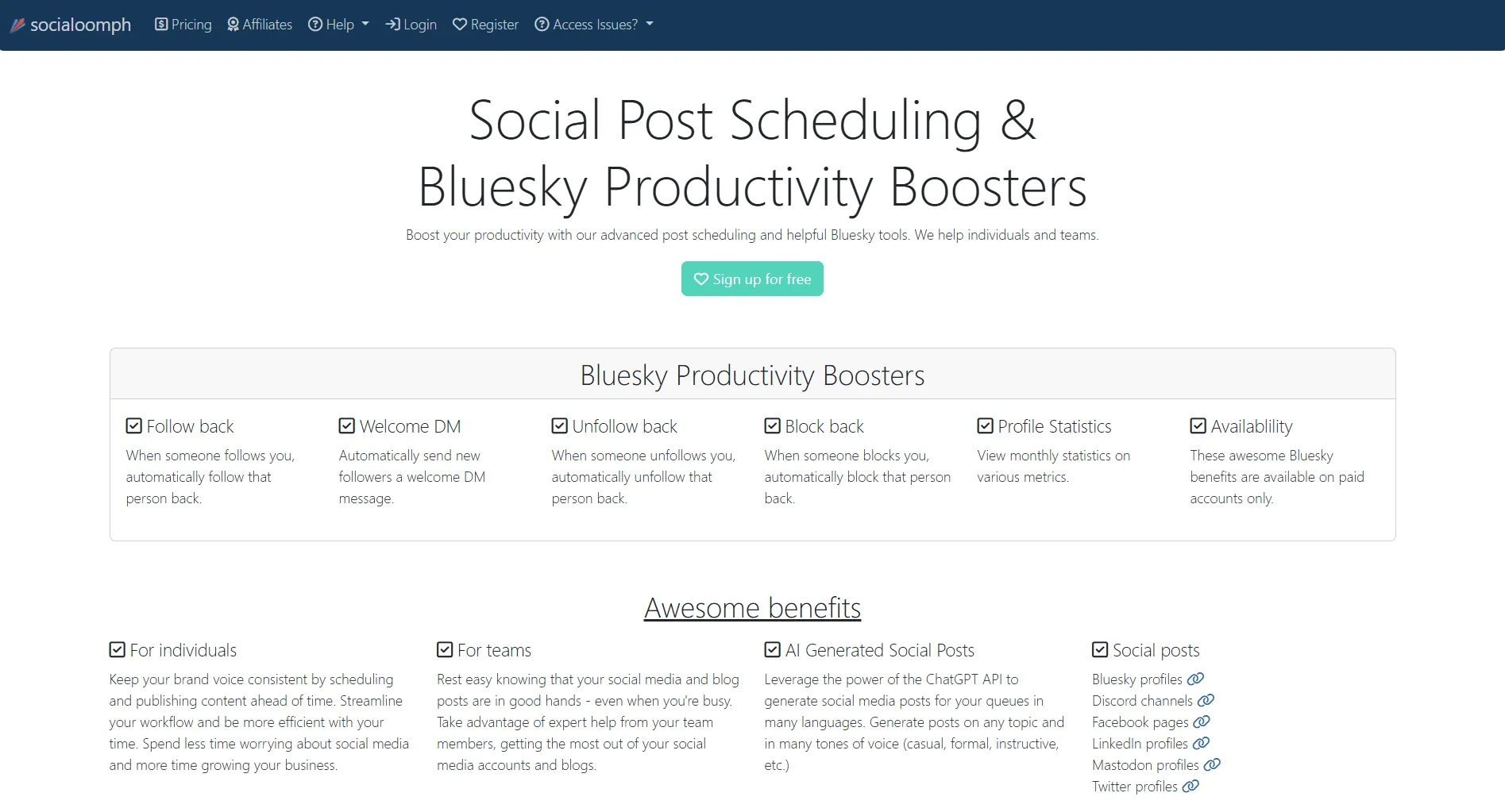
SocialOomph is a veteran scheduler built for RSS automation. At $0-55/month, it's budget-friendly but dated.
Here's what you actually get.
Create content, post everywhere
Create captions, images, and videos with AI. Schedule to 9 platforms in seconds.
Start your free trial
Quick Verdict
Best for: RSS automation on a budget.
Skip if: You want modern UI or mobile apps.
Pricing Snapshot
Free plan exists but it's very limited.
What type of user is SocialOomph built for?
💡 Tip: Think carefully before selecting your answer!
What SocialOomph Does Well
RSS Automation
This is where it shines:
Pull content from any feed, filter by keywords, post automatically.
No other tool does RSS this well at this price.
Queue-Based Posting
Set it and forget it:
- Define posting frequency
- Queues auto-fill
- Evergreen content rotates
- Multiple queues supported
Works great for content that stays relevant.
AI Content
Uses ChatGPT API ($15+ plans):
- Multiple languages
- Different writing styles
- Queue integration
- Automated generation
Basic but functional AI at budget price.
What AI does SocialOomph use for content generation?
💡 Tip: Think carefully before selecting your answer!
Bluesky Support
One of few tools with Bluesky:
- Direct posting
- Scheduling
- Queue integration
Good for early Bluesky adopters.
What SocialOomph Lacks
Dated Interface
The biggest problem:
- Text-heavy layout
- No visual calendar
- No drag-and-drop
- Looks like 2010
User feedback: "The interface is hopelessly outdated."
No Mobile Apps
Missing completely:
- No iOS app
- No Android app
- Web-only access
If you manage social on the go, this is a dealbreaker.
Image Handling Issues
Manual work required:
- No auto-fetch from URLs
- Download then re-upload
- No image library
- No editing tools
User feedback: "Other apps automatically bring up images. SocialOomph doesn't."
What's SocialOomph's biggest weakness?
💡 Tip: Think carefully before selecting your answer!
Pros and Cons
Real User Reviews
What users love:
"SocialOomph does something no other tool can do: automatically generate content streams from RSS feeds with keyword filtering."
"You can put a ton of posts in and schedule them for as long as you choose. Lots of options to customize."
What users complain about:
"The interface is hopelessly outdated and text-based. No calendar layout."
"The new version is horrible. LinkedIn integration is difficult."
Does SocialOomph have a visual content calendar?
💡 Tip: Think carefully before selecting your answer!
Who Should Use It
Good Fit
RSS-Focused Publishers
- News aggregators
- Content curators
- Blog syndicators
Budget-Conscious Users
- Solopreneurs
- Side projects
- Testing phase
Technical Users
- Comfortable with dated UIs
- Don't need visual planning
- Can figure things out
Bad Fit
- Visual planners wanting calendars
- Mobile-first managers
- Beginners needing guidance
- Teams wanting collaboration
- Instagram/Pinterest focus
How It Compares
You need RSS automation AND a mobile app. Which tool works?
💡 Tip: Think carefully before selecting your answer!
Quick Answers
Is SocialOomph worth it? For RSS automation at budget prices, yes. For general social management, no.
Does it have a free plan? Yes. 1 profile, basic posting, 3 posts/hour max. No AI.
Good for Instagram? No. No visual planning, no image editing, Instagram isn't a focus.
How does it compare to Hootsuite? Cheaper ($25 vs $99) and better RSS. Hootsuite has modern interface and more features.
TikTok support? No. Supports X, Facebook, LinkedIn, Pinterest, Bluesky, WordPress, Tumblr only.
Bottom Line
SocialOomph does RSS automation well at budget prices.
Choose it if:
- RSS automation is your main need
- You're comfortable with dated interfaces
- Budget is the priority
- You don't need mobile access
Choose something else if:
- You want modern visual interface
- You need mobile apps
- You're a beginner
- Team collaboration matters
For modern scheduling with unlimited AI, try SocialRails at $29/month.
Create content, post everywhere
Create captions, images, and videos with AI. Schedule to 9 platforms in seconds.
Start your free trialRelated
- SocialOomph Pricing
- SocialOomph Alternatives
- Buffer Review
- Hootsuite Review
- Best Social Media Schedulers
Was this article helpful?
Let us know what you think!