

OnlySocial Review 2026: Features, Pricing, Pros & Cons

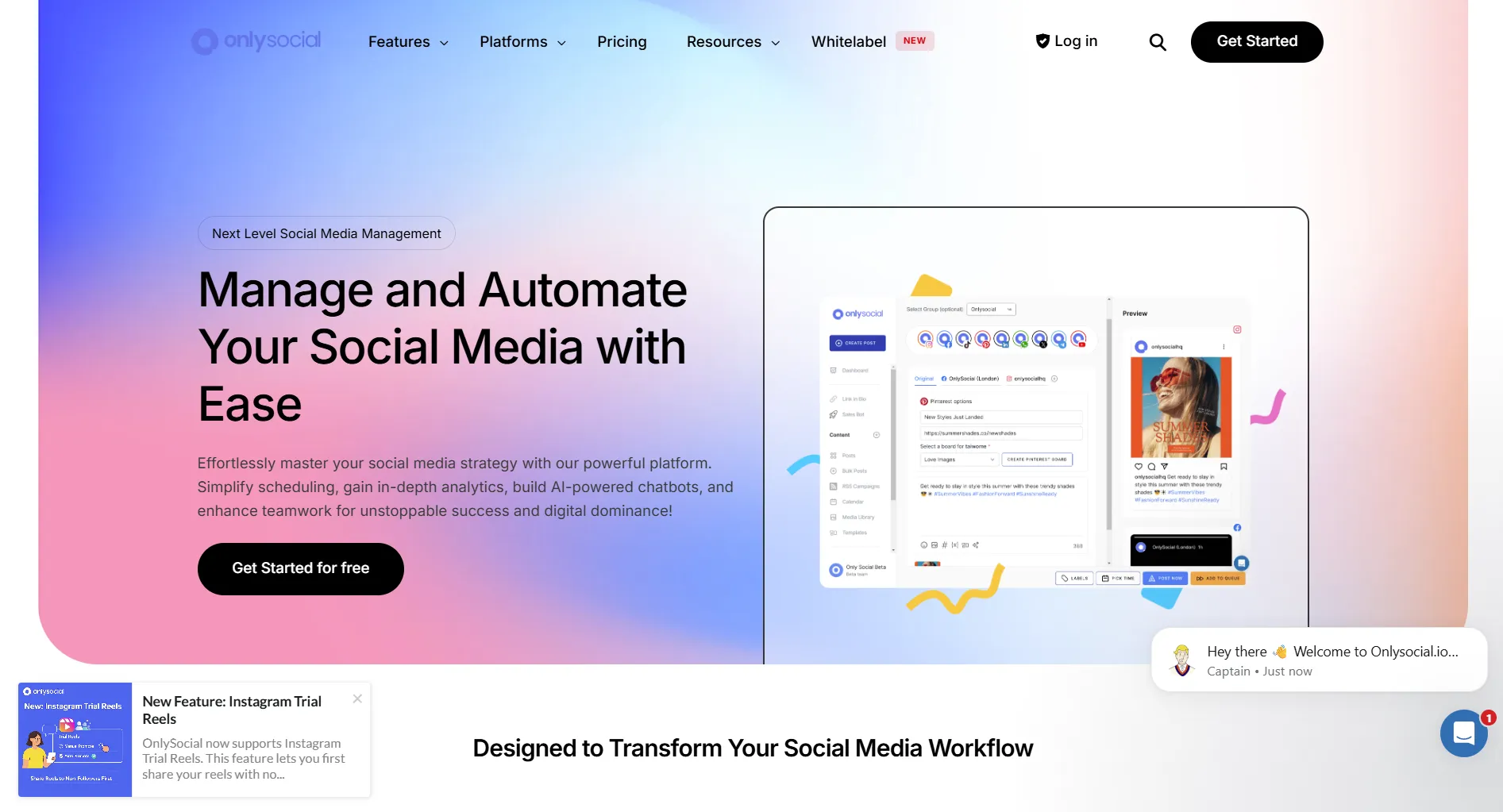
OnlySocial positions itself as an "all-in-one social media management kit." It supports 15 platforms, offers AI features, and includes extras like link-in-bio and email broadcasts.
But does it deliver? Here's the honest breakdown.
Create content, post everywhere
Create captions, images, and videos with AI. Schedule to 9 platforms in seconds.
Start your free trial
Quick Summary
Best for: Users wanting broad platform support (15 networks) and all-in-one features at mid-range pricing.
Not ideal for: Teams wanting enterprise-grade reliability or advanced collaboration workflows.
Pricing at a Glance
Annual billing gives 2 months free.
The value: OnlySocial packs a lot of features at competitive prices. But some users report reliability issues.
OnlySocial's Freelancer plan costs $29/month. What do you get?
💡 Tip: Think carefully before selecting your answer!
What OnlySocial Does Well
15 Platform Support
OnlySocial supports more platforms than most competitors:
Verdict: Best platform coverage in the mid-range price tier.
All-In-One Features
Beyond scheduling, OnlySocial includes:
- Unified inbox for all platforms
- Link-in-bio builder
- QR code generator
- vCard builder
- Email broadcasts
- SMS broadcasts
Verdict: Genuine all-in-one value if you need these extras.
AI Features
AI capabilities on all plans:
- AI caption generation
- AI hashtag suggestions
- AI image generation (credits vary by plan)
- AI chatbots
Verdict: Solid AI implementation for the price.
What makes OnlySocial stand out from competitors?
💡 Tip: Think carefully before selecting your answer!
What OnlySocial Lacks
Reliability Concerns
Some users report:
- Occasional posting failures
- Support response delays
- Interface bugs
Important: Your experience may vary. Test thoroughly during the trial.
Learning Curve
The interface isn't as polished as Buffer or Later:
- Feature-dense dashboard
- Some navigation confusion
- Not beginner-friendly
No Free Plan
Only a 7-day free trial. Competitors like Buffer offer permanent free tiers.
Basic Collaboration
Team features exist but aren't as robust as Planable or Loomly:
- Limited approval workflows
- Basic permissions
- No advanced client separation
What's the main concern users have about OnlySocial?
💡 Tip: Think carefully before selecting your answer!
Pros and Cons Summary
Real User Reviews
What Users Love
"15 platforms in one tool. Finally don't need multiple subscriptions." — G2 Review
"The link-in-bio and QR features are nice bonuses." — Capterra Review
What Users Complain About
"Posts sometimes fail to publish. Have to double-check everything." — G2 Review
"Interface is cluttered. Took time to learn." — Capterra Review
OnlySocial is best suited for which type of user?
💡 Tip: Think carefully before selecting your answer!
Who Should Use OnlySocial
Ideal Users
SMBs on Multiple Platforms
- Active on 5+ social networks
- Need Bluesky, Mastodon, or Telegram
- Want unified inbox
- Budget of $29-99/month
Users Wanting All-In-One
- Need link-in-bio
- Want email/SMS broadcasts
- Value feature consolidation
- Don't need separate tools
Who Should Look Elsewhere
Reliability-Critical Users — If missed posts are unacceptable, consider Buffer or Hootsuite.
Beginners — OnlySocial has a learning curve. Buffer is simpler.
Agencies — For client collaboration, Planable or Loomly have better workflows.
Budget Users — Postoplan starts at $6.90/month.
OnlySocial vs Alternatives
FAQ
Is OnlySocial worth it in 2026?
For SMBs wanting 15-platform support and all-in-one features, it offers good value. Test thoroughly during the trial to ensure reliability meets your needs.
Does OnlySocial have a free plan?
No. OnlySocial offers a 7-day free trial but no permanent free tier.
Is OnlySocial reliable?
Mixed reviews. Some users report occasional posting failures. Test during your trial period before committing.
Does OnlySocial have AI features?
Yes. All plans include AI captions, hashtags, and image generation (credits vary by plan).
Bottom Line
OnlySocial packs features, but reliability varies.
Choose OnlySocial if:
- You need 15 platform support
- You want all-in-one extras (link-in-bio, email, SMS)
- You have $29-99/month budget
- You can test thoroughly during trial
Choose an alternative if:
- Reliability is critical
- You want simplicity
- You need advanced collaboration
- You prefer a free plan to start
For reliable AI-powered scheduling, consider SocialRails.
Create content, post everywhere
Create captions, images, and videos with AI. Schedule to 9 platforms in seconds.
Start your free trialRelated
OnlySocial Content
Similar Reviews
Platform Coverage Comparisons
- Hootsuite Review, 35+ platforms
- Buffer Review, 8 platforms
- Later Review, visual-focused
Best-Of Guides
Was this article helpful?
Let us know what you think!