

AgencyAnalytics Review 2026: Features, Pricing, Pros & Cons

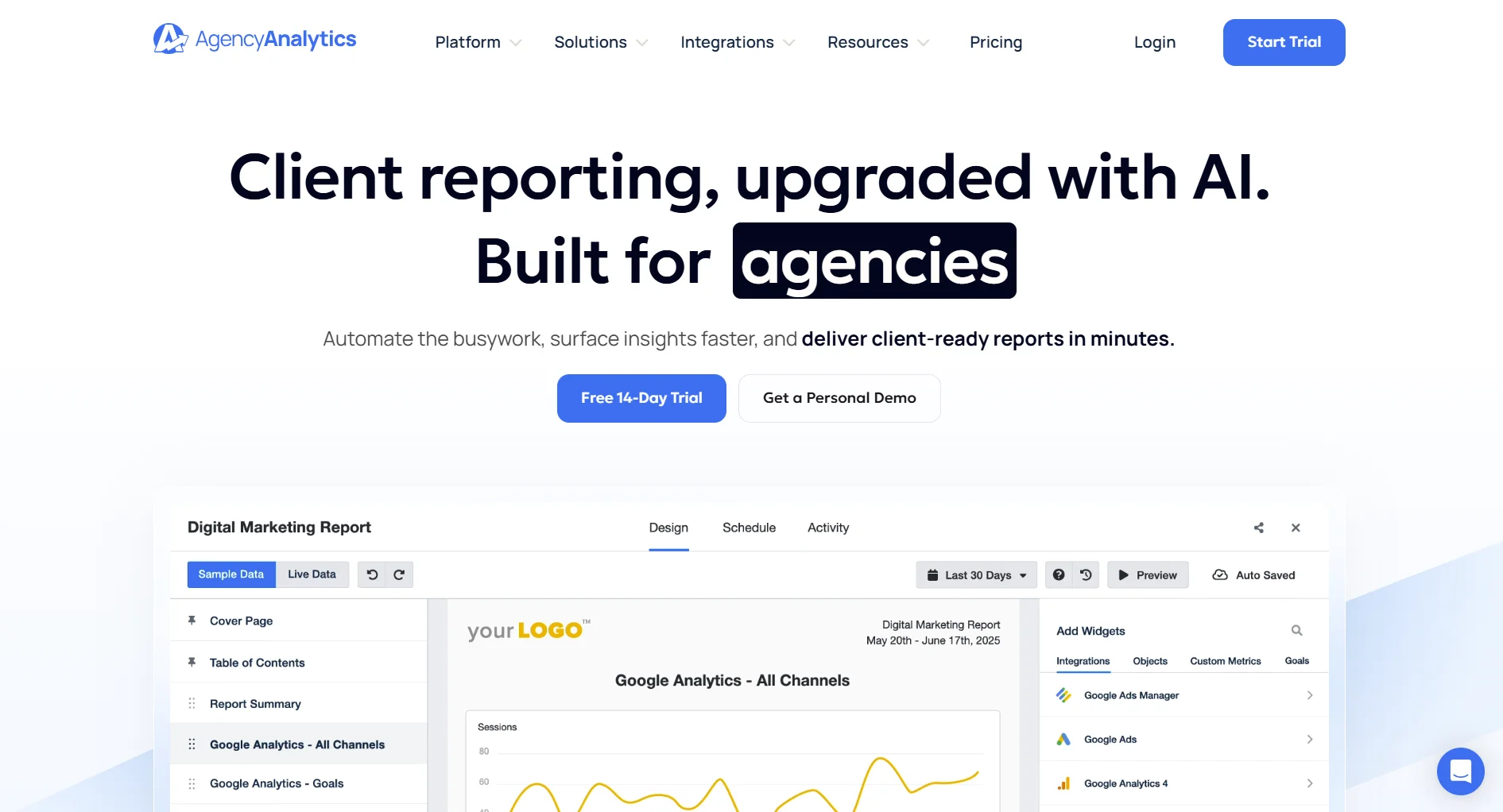
AgencyAnalytics is a reporting and dashboard platform built specifically for marketing agencies. It pulls data from 80+ sources and turns it into white-labeled client reports.
But at $79–479/month with no scheduling or content tools, is it worth the investment? Here's the honest breakdown.
Create content, post everywhere
Create captions, images, and videos with AI. Schedule to 9 platforms in seconds.
Start your free trial
Quick Summary
Best for: Marketing agencies that need automated client reporting across SEO, PPC, and social channels.
Not ideal for: Agencies needing scheduling, content creation, or an all-in-one social media management tool.
Pricing at a Glance
Freelancer drops to $59/month if you manage 5 or fewer clients. 14-day free trial available.
For a full cost breakdown, see our AgencyAnalytics pricing guide.
What AgencyAnalytics Does Well
Reporting Automation
AgencyAnalytics excels at pulling data and building reports:
Reports can be scheduled daily, weekly, or monthly and sent automatically to clients.
80+ Integrations
One of the widest integration libraries in the reporting space:
- SEO: Google Search Console, Ahrefs, SEMrush, Moz
- PPC: Google Ads, Facebook Ads, LinkedIn Ads, Microsoft Ads
- Social: Facebook, Instagram, LinkedIn, X/Twitter, YouTube
- Analytics: GA4, Adobe Analytics
- Email: Mailchimp, ActiveCampaign
- Reviews: Google Business Profile
Verdict: If you need data from many sources in one place, AgencyAnalytics delivers.
How many data integrations does AgencyAnalytics support?
White-Label Dashboards
Full customization for agency branding:
- Custom colors, logos, and URLs
- Branded mobile app for clients
- White-labeled report PDFs
- Custom email domain for report delivery
Verdict: Strong white-label capabilities for client-facing work.
Client Access Portal
Give clients their own login to view live dashboards:
- Role-based access controls
- Real-time data (not just static reports)
- Mobile-friendly interface
- Customizable per client
What AgencyAnalytics Lacks
No Scheduling or Content Creation
AgencyAnalytics is reporting only. You cannot:
- Schedule social media posts
- Generate content with AI
- Manage a content calendar
- Collaborate on post drafts
You'll need a separate tool for publishing. For agencies wanting scheduling + analytics in one tool, SocialRails offers both starting at $29/month.
Pricing Scales Poorly
How costs add up:
The jump from Freelancer ($79) to Agency ($239) is steep, a 3x increase mainly for AI summaries and metric alerts.
You manage 15 clients and need AI summaries. What's your monthly AgencyAnalytics cost?
No Master Templates
Changes to report templates must be applied client by client. There's no way to update a master template and push changes to all client reports at once. This becomes a significant time drain as your client list grows.
Limited Custom Metrics
Users report difficulty creating custom metrics that require advanced filtering or segmentation. The dashboard builder, while easy to use, can feel limiting compared to what you could build in free tools like Google Looker Studio.
Pros and Cons Summary
Who Should Use AgencyAnalytics
Ideal Users
Marketing Agencies
- Managing 5+ clients
- Need automated reporting
- Want white-label branding
- Focus on SEO/PPC reporting
Freelancers
- Want professional client reports
- Need data from multiple platforms
- Managing a handful of clients
Who Should Look Elsewhere
Social Media Managers needing scheduling + analytics in one tool, see SocialRails
Budget-Conscious Agencies finding $239/month for reporting alone too expensive
Teams Wanting Content Tools, AgencyAnalytics doesn't create or schedule content
Data Analysts needing advanced custom metrics, consider Google Looker Studio (free)
AgencyAnalytics vs Alternatives
FAQ
Is AgencyAnalytics worth it in 2026?
For agencies focused on client reporting with 5+ clients, yes, the automation saves significant time. For agencies that also need scheduling and content, you'll pay for AgencyAnalytics plus a separate tool, which adds up fast.
Does AgencyAnalytics have a free plan?
No, but there's a 14-day free trial. The Freelancer plan starts at $59/month for 5 or fewer clients, jumping to $79/month at 6+ clients.
Can AgencyAnalytics schedule social media posts?
No. AgencyAnalytics is a reporting and dashboard platform only. You'll need a separate tool like SocialRails, Buffer, or Hootsuite for scheduling.
How does AgencyAnalytics compare to Whatagraph?
AgencyAnalytics is cheaper ($79/mo vs $229/mo), has more integrations (80+ vs 50+), and offers better client management. Whatagraph produces more visually polished reports. See our full AgencyAnalytics vs Whatagraph comparison.
What platforms does AgencyAnalytics integrate with?
AgencyAnalytics connects to 80+ platforms including Google Analytics, Google Ads, Meta Ads, LinkedIn Ads, Google Search Console, Ahrefs, SEMrush, Moz, Mailchimp, and major social media platforms. The full list is on their integrations page.
Can my clients see their own dashboards?
Yes. AgencyAnalytics has a client access portal where clients get their own login to view live dashboards. You control what they see with role-based permissions, and everything can be white-labeled with your agency's branding.
Bottom Line
AgencyAnalytics is a strong reporting tool, but reporting is all it does.
Choose AgencyAnalytics if:
- Client reporting is your primary need
- You use many data sources (SEO, PPC, social)
- White-label branding matters
- You have budget for a separate scheduling tool
Choose an alternative if:
- You want scheduling + analytics in one tool
- You're budget-conscious
- You need content creation features
- You want advanced custom dashboards
For AI-assisted scheduling with built-in analytics at $29/month, consider SocialRails.
Create content, post everywhere
Create captions, images, and videos with AI. Schedule to 9 platforms in seconds.
Start your free trialRelated
AgencyAnalytics Content
Reporting Tools
- Whatagraph Review 2026
- Whatagraph Pricing 2026
- Whatagraph Alternatives 2026
- Supermetrics Review 2026
Social Media Schedulers
- Best Social Media Schedulers 2026
- Hootsuite Review 2026
- Sprout Social Review 2026
- Buffer Review 2026
- Agorapulse Review 2026
Agency Tools
Was this article helpful?
Let us know what you think!