

Planable Review 2026: Features, Pricing, Pros & Cons

Planable focuses on one thing: content collaboration. It's built for teams and agencies who need client approvals and feedback on social posts.
But is a collaboration-first tool worth it for your workflow? Here's the honest breakdown.
Create content, post everywhere
Create captions, images, and videos with AI. Schedule to 9 platforms in seconds.
Start your free trial
Quick Summary
Best for: Agencies and teams needing smooth client approvals and content collaboration. Compare with Agorapulse for social inbox needs.
Not ideal for: Solo users, analytics-focused teams, or those who don't need approval workflows. For analytics, see Metricool vs Planable.
Pricing at a Glance
Per workspace pricing. Additional workspaces = additional cost.
The catch: Free plan limits to 50 total posts ever. One workspace means one brand/client per plan.
What's Planable's unique pricing model?
What Planable Does Well
Collaboration
Planable's core strength is team collaboration.
Verdict: Top-tier collaboration for social content.
Approval Workflows
Fast client approvals:
- One-click approve/reject
- Multi-level approval chains
- External guest access
- Email notifications
Verdict: Eliminates email chains for approvals. If you used ContentCal for approvals before it was acquired by Adobe, Planable is one of the closest replacements.
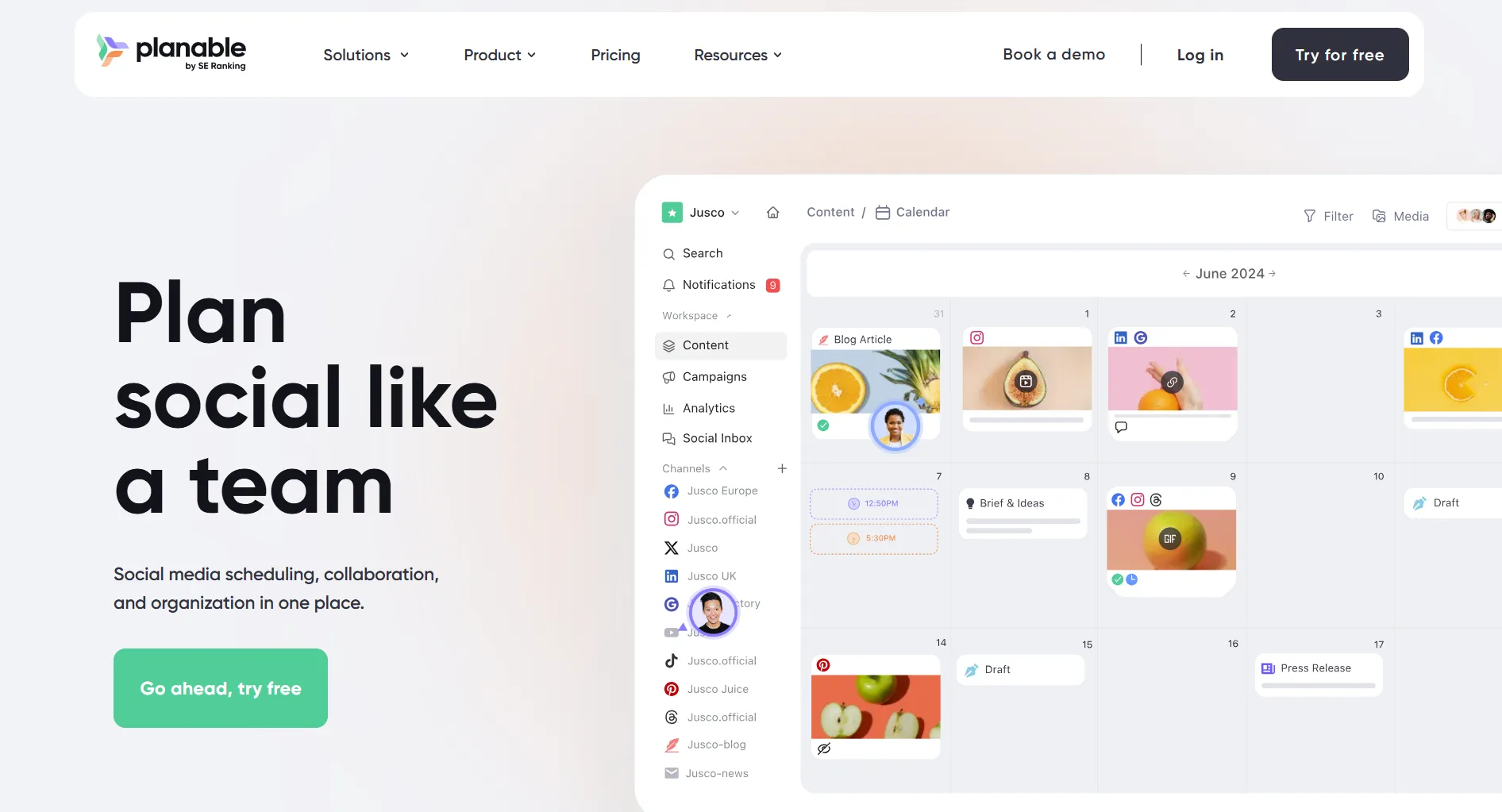
Visual Calendar
Clean content planning:
- Drag-and-drop
- Grid and list views
- Filter by status
- Platform previews
Verdict: Beautiful interface for planning.
What's Planable best known for?
What Planable Lacks
No Analytics
Major gap:
- No engagement metrics
- No follower tracking
- No performance reports
- Must use other tools
Teams need separate analytics solutions.
Limited Publishing
Publishing limitations:
- Not all post types supported
- Some platforms need manual posting
- No bulk scheduling
- No content recycling
Per-Workspace Pricing
Costs for agencies:
Each client needs a workspace.
No Listening/Inbox
Missing entirely:
- No brand monitoring
- No unified inbox
- No comment management
- No engagement tools
How much would an agency with 10 clients pay monthly for Planable Pro?
Pros and Cons Summary
What's the biggest gap in Planable's feature set?
Real User Reviews
What Users Love
"Changed our agency workflow. Client approvals that took days now take hours." — G2 Review
"The commenting feature is perfect. Clients can give feedback right on the post." — Capterra Review
What Users Complain About
"No analytics forced us to use two tools. Frustrating extra step." — G2 Review
"Per-workspace pricing adds up fast with multiple clients." — G2 Review
Planable is ideal for which workflow challenge?
Who Should Use Planable
Ideal Users
Marketing Agencies
- Client approval workflows
- Multiple stakeholders
- Feedback-heavy process
- Visual content focus
In-House Teams
- Multi-department approval
- Brand compliance needs
- Collaborative culture
- Creative workflows
Who Should Look Elsewhere
Solo Creators who don't need approvals
Analytics-Focused Teams needing data
Budget Agencies with many clients
Engagement Teams needing inbox
Planable vs Alternatives
Compare Planable directly: Planable vs Buffer, Planable vs Loomly, Planable vs Hootsuite, Planable vs Later, or Planable vs SocialPilot.
FAQ
Is Planable worth it in 2026?
For agencies and teams with heavy approval workflows, yes. The collaboration features justify the cost. If you don't need approvals or want analytics, look elsewhere.
Does Planable have a free plan?
Yes, but limited to 50 total posts ever—not per month. It's essentially a trial. Meaningful use requires the $39/month Basic plan.
Is Planable good for agencies?
For content approval workflows, excellent. For full agency needs (analytics, listening, reporting), you'll need additional tools. Per-workspace pricing means costs scale with clients.
Can Planable replace Hootsuite?
Only for teams who prioritize collaboration over analytics and listening. Planable excels at approvals but lacks Hootsuite's monitoring, inbox, and reporting depth.
Bottom Line
Planable is the collaboration champion, but needs analytics partners.
Choose Planable if:
- Client approvals are your bottleneck
- You need inline feedback
- Unlimited team access matters
- Workflow is more important than data
Choose an alternative if:
- You need analytics
- You're a solo creator
- Per-workspace pricing is prohibitive
- You need social listening
For unlimited AI-powered scheduling at $29/month, consider SocialRails.
Create content, post everywhere
Create captions, images, and videos with AI. Schedule to 9 platforms in seconds.
Start your free trialRelated
Planable Content
Similar Reviews
- Kontentino Review 2026
- Loomly Review 2026
- Sendible Review 2026
- Agorapulse Review 2026
- Hootsuite Review 2026
- Buffer Review 2026
Tool Comparisons
- Kontentino vs Planable
- Planable vs Buffer
- Planable vs Hootsuite
- Planable vs Loomly
- Planable vs Later
- Planable vs SocialPilot
Best-Of Guides
Was this article helpful?
Let us know what you think!