

Flick Review 2026: Features, Pricing, Pros & Cons

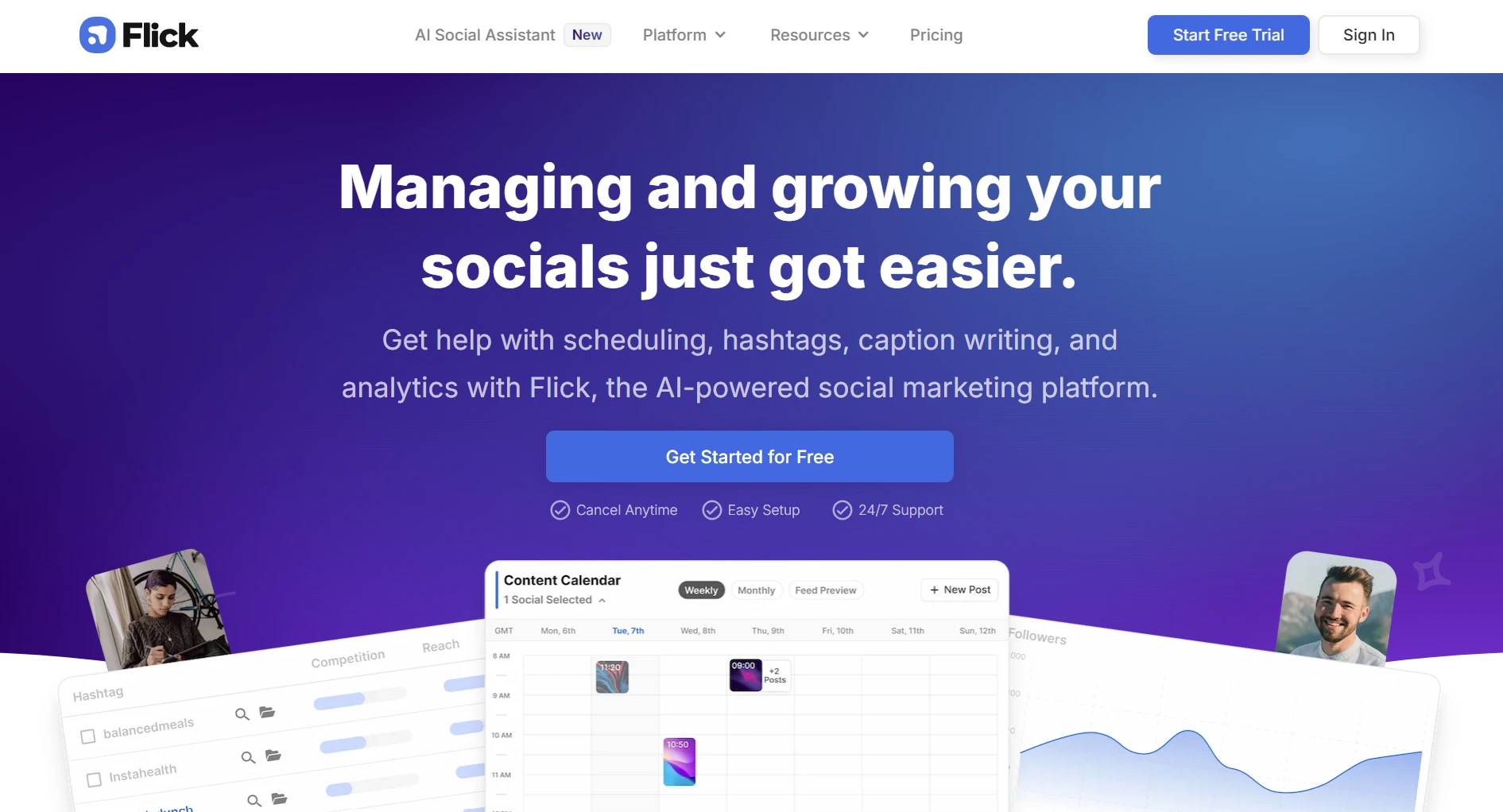
Flick started as an Instagram hashtag research tool and evolved into a full social media scheduler with AI features. It now covers Instagram, Facebook, TikTok, and LinkedIn.
At $14-68/month, it sits in the mid-range. Here's what you actually get.
Create content, post everywhere
Create captions, images, and videos with AI. Schedule to 9 platforms in seconds.
Start your free trial
Quick Summary
Best for: Instagram-focused creators who want data-driven hashtag research and basic multi-platform scheduling.
Not ideal for: Teams needing collaboration, users wanting advanced AI content generation, or creators focused on X/Twitter. For broader scheduling needs, see our best social media schedulers.
Pricing at a Glance
Annual billing saves 20%. 7-day free trial available on all plans.
The catch: The Solo plan limits you to 30 scheduled posts per month, roughly one post per day. If you post more frequently, you'll need the Pro plan at $30/month. For full pricing analysis, see our Flick pricing breakdown.
How many posts per month can you schedule on Flick's cheapest paid plan?
What Flick Does Well
1. Hashtag Research (Best Feature)
Flick's strongest selling point. The hashtag tool analyzes performance across 20+ languages and recommends hashtags based on your account size.
This is genuinely the strongest hashtag tool on the market. If hashtag optimization is your priority, Flick delivers.
2. Visual Content Calendar
Drag-and-drop calendar with Instagram grid preview. You can see how posts will look on your feed before publishing. Supports Instagram, Facebook, TikTok, and LinkedIn.
3. Analytics
Post-level and hashtag-level performance data. Track which content types and hashtags drive the most reach and engagement. More detailed than most scheduler analytics for Instagram specifically.
4. AI Caption Assistant
Generates caption ideas and helps with writer's block. It's functional but not as advanced as dedicated AI writing tools. Works better as a starting point than a finished product.
What's Flick's strongest feature according to most users?
What Flick Lacks
1. Limited Platform Coverage
Flick supports Instagram, Facebook, TikTok, and LinkedIn. No support for X/Twitter, Pinterest, YouTube, Threads, or Bluesky.
2. Solo Plan Is Restrictive
30 posts/month means roughly one post per day on one platform. Active creators posting 2-3 times daily across multiple platforms hit this wall fast.
3. Basic AI Features
The AI caption assistant is useful but limited. It doesn't generate images, videos, or full content strategies. If AI content creation is important, tools like SocialRails offer more complete AI features.
4. No X/Twitter Support
If X/Twitter is part of your strategy, Flick can't help. You'll need a separate tool, which adds cost and complexity.
5. Limited Team Features
Team collaboration is only available on the Agency plan ($68/month). Solo and Pro users work alone.
You want to schedule posts on Instagram, X/Twitter, and YouTube. Can Flick do this?
Best For
- Instagram-focused creators who rely on hashtag strategy
- Small businesses posting 1-2 times daily on Instagram
- Visual brands wanting feed preview before posting
- Hashtag researchers who want data-driven tag selection
Not Ideal For
- X/Twitter users, no support at all
- Multi-platform power users, limited to 4 platforms
- Teams on a budget, collaboration requires the $68/month Agency plan
- AI content creators, basic AI compared to dedicated tools
Flick vs Alternatives
For deeper comparisons, see Flick vs Later and Flick vs Buffer.
Bottom Line
Flick is the go-to tool if Instagram hashtag research is your top priority. The hashtag tools are genuinely excellent and more detailed than what competitors offer.
But as an all-around social media scheduler, it falls short. Limited platforms, restrictive entry plan, and basic AI features make it less competitive for users who need more than Instagram optimization.
If you want multi-platform scheduling with AI content generation, SocialRails covers 9+ platforms with unlimited AI captions starting at $29/month. If you want Instagram-specific visual planning, Later is also worth considering.
Create content, post everywhere
Create captions, images, and videos with AI. Schedule to 9 platforms in seconds.
Start your free trialFrequently Asked Questions
Is Flick worth it for Instagram?
Does Flick work with TikTok?
Is there a free version of Flick?
How many posts can I schedule with Flick?
Is Flick only for Instagram?
Can teams use Flick?
Related
- Flick Pricing Breakdown
- Best Flick Alternatives
- Flick vs Later
- Flick vs Buffer
- Hashtagify Review
- Best Instagram Management Tools
Was this article helpful?
Let us know what you think!