

HubSpot Social Media Review 2026: Is the $800/Month Social Tool Worth It?

HubSpot is a CRM and marketing powerhouse. Its social media tool? An afterthought bolted onto an $800/month marketing suite.
Create content, post everywhere
Create captions, images, and videos with AI. Schedule to 9 platforms in seconds.
Start your free trial
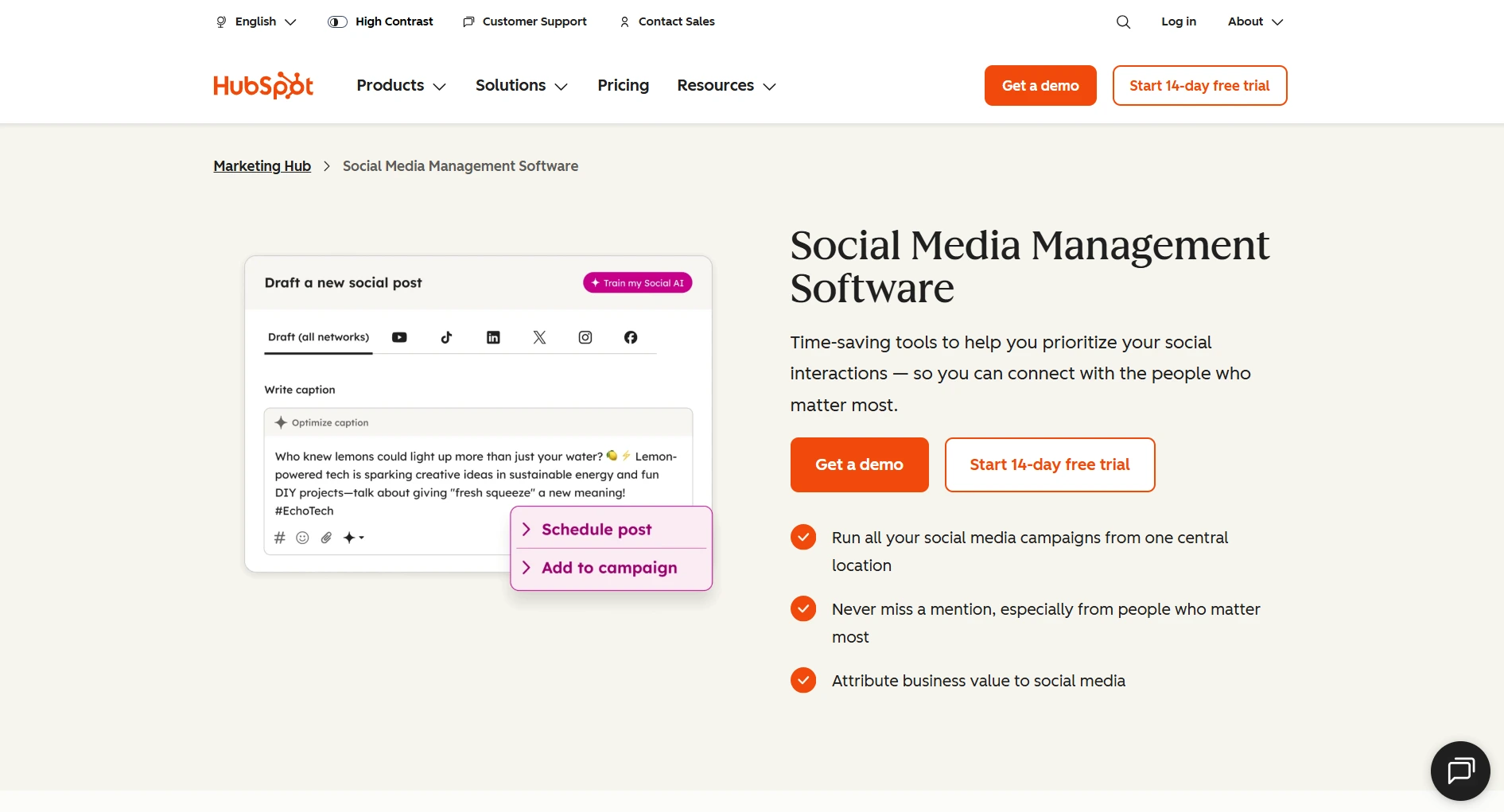
Quick Summary
Rating: 2.8/5
Best for: Teams already paying for HubSpot Marketing Hub Professional who want social scheduling in the same dashboard as their CRM and email marketing.
Not ideal for: Anyone who needs social media as their primary tool, small businesses, agencies, solo creators, or teams that don't already use HubSpot.
Starting price: $800/month (Marketing Hub Professional, the cheapest plan that includes social features)
Free trial: 14 days
What Is HubSpot Social Media?
HubSpot's social media tool is not a standalone product. It's a feature within HubSpot's Marketing Hub, available only on Professional ($800/mo) and Enterprise ($3,600/mo) plans.
You cannot buy HubSpot's social features separately. You're paying for the entire marketing suite (CRM, email marketing, landing pages, automation workflows), and social comes along for the ride.
This matters because:
- The Free plan ($0) has no social features
- The Starter plan ($20/mo) has no social features
- Social only unlocks at Professional ($800/mo)
- That's 40x more than dedicated social tools
Pricing Reality
Additional costs:
- Professional onboarding fee: $3,000 (one-time, mandatory)
- Contact tiers: starts at 2,000 contacts, additional contacts cost extra
- Add-ons for advanced features
Year one cost for Professional: $800 × 12 + $3,000 = $12,600
Compare that to dedicated social tools:
Social Media Features Breakdown
Scheduling & Publishing
HubSpot covers the basics: schedule posts, pick times, use a calendar. But it lacks modern features like AI content generation, video templates, and evergreen content recycling that dedicated tools offer.
Platform Support
HubSpot supports 6 platforms. Dedicated tools support 8-35+. No TikTok support is a significant gap in 2026.
You're a social media manager who needs to post on TikTok, Instagram, and LinkedIn. Can HubSpot handle all three?
Analytics & Reporting
HubSpot's advantage: Revenue attribution. You can track social posts to actual deals in HubSpot CRM. No dedicated social tool does this as well.
HubSpot's weakness: Social-specific analytics are surface-level. No competitor benchmarking, limited audience insights.
Social Monitoring
HubSpot's monitoring is minimal. If social listening matters to you, dedicated tools are far ahead.
Team Collaboration
Team features work, but they're HubSpot's general collaboration tools applied to social, not purpose-built for social workflows.
Pros and Cons
Pros
Cons
Your marketing budget is $200/month and you need social media scheduling with AI content. What's the best option?
💡 Tip: Think carefully before selecting your answer!
Who Should Use HubSpot Social
Use it if:
- You already pay for HubSpot Marketing Hub Professional
- Your team lives in HubSpot daily
- You need CRM + social in one platform
- Revenue attribution from social matters to your business
- You manage 6 or fewer platforms
Don't use it if:
- You need social media as your primary tool
- Your budget for social is under $800/mo
- You need TikTok, Threads, or Bluesky support
- You want AI content generation or video templates
- You're an agency managing multiple clients
- You're a solo creator or small business
Better Alternative for Social Media
If you need dedicated social media management without paying for an entire marketing suite:
Try SocialRails free →You already pay $800/month for HubSpot Marketing Hub. What's the smartest way to improve your social media?
FAQ
Can I use HubSpot just for social media?
Not practically. Social features require Marketing Hub Professional at $800/month, which includes CRM, email marketing, landing pages, and automation you may not need. For social-only, dedicated tools like SocialRails ($29/mo) or Buffer (free) are far more cost-effective.
Does HubSpot's free plan include social media?
No. The Free and Starter ($20/mo) plans do not include any social media management features. Social only becomes available at the Professional tier ($800/mo).
Is HubSpot's social tool good enough for agencies?
No. HubSpot's social features lack client management, white-label reporting, and multi-client workflows. Agency-focused tools like Sendible or Agorapulse are better suited.
Does HubSpot support TikTok?
No. As of 2026, HubSpot's social media tool supports Facebook, Instagram, LinkedIn, Twitter/X, YouTube, and Pinterest. TikTok, Threads, and Bluesky are not supported.
Can I connect HubSpot with a dedicated social tool?
Yes. Tools like Hootsuite and Sprout Social have native HubSpot integrations. Many teams use HubSpot for CRM and a dedicated tool for social media management.
Is HubSpot worth $800/month for social?
Only if you're using the full Marketing Hub: CRM, email automation, landing pages, and workflows. If you're considering HubSpot primarily for social media, the answer is no. Dedicated tools offer better social features at 5-25x lower cost.
Bottom Line
HubSpot is an excellent CRM and marketing platform. Its social media tool is not.
If you're already paying $800+/month for Marketing Hub Professional and want social scheduling in the same dashboard, it works. It's convenient.
If you're evaluating HubSpot because you need social media management, stop. You're paying for a marketing suite to get basic social features. Dedicated tools do social better, cheaper, and with more platforms.
For social-focused needs: SocialRails at $29-99/month gives you AI content, video templates, and more platforms than HubSpot's social tool, at 1/8th the price.
Related
HubSpot Content
- HubSpot Social Media Pricing 2026
- Best HubSpot Social Media Alternatives
- Cheaper Than HubSpot
- Hootsuite vs HubSpot
- Sprout Social vs HubSpot
Competitor Reviews
Best-Of Guides
Want a second opinion on another tool? See reviews across every category.
Open the hubWas this article helpful?
Let us know what you think!