

Storrito Review 2026: Instagram Story Scheduling From Desktop

Storrito is a browser-based tool for scheduling and auto-posting Instagram Stories, Reels, TikTok posts, and YouTube Shorts from your desktop. Built in Germany and running since 2018, it targets marketers and agencies who want to plan short-form content ahead of time without touching their phone.
At $19/month per Instagram account, with no support for Twitter/X, LinkedIn, or Pinterest and no built-in analytics, it makes sense mainly if Instagram Stories and short-form video are central to your strategy.
Create content, post everywhere
Create captions, images, and videos with AI. Schedule to 9 platforms in seconds.
Start your free trial
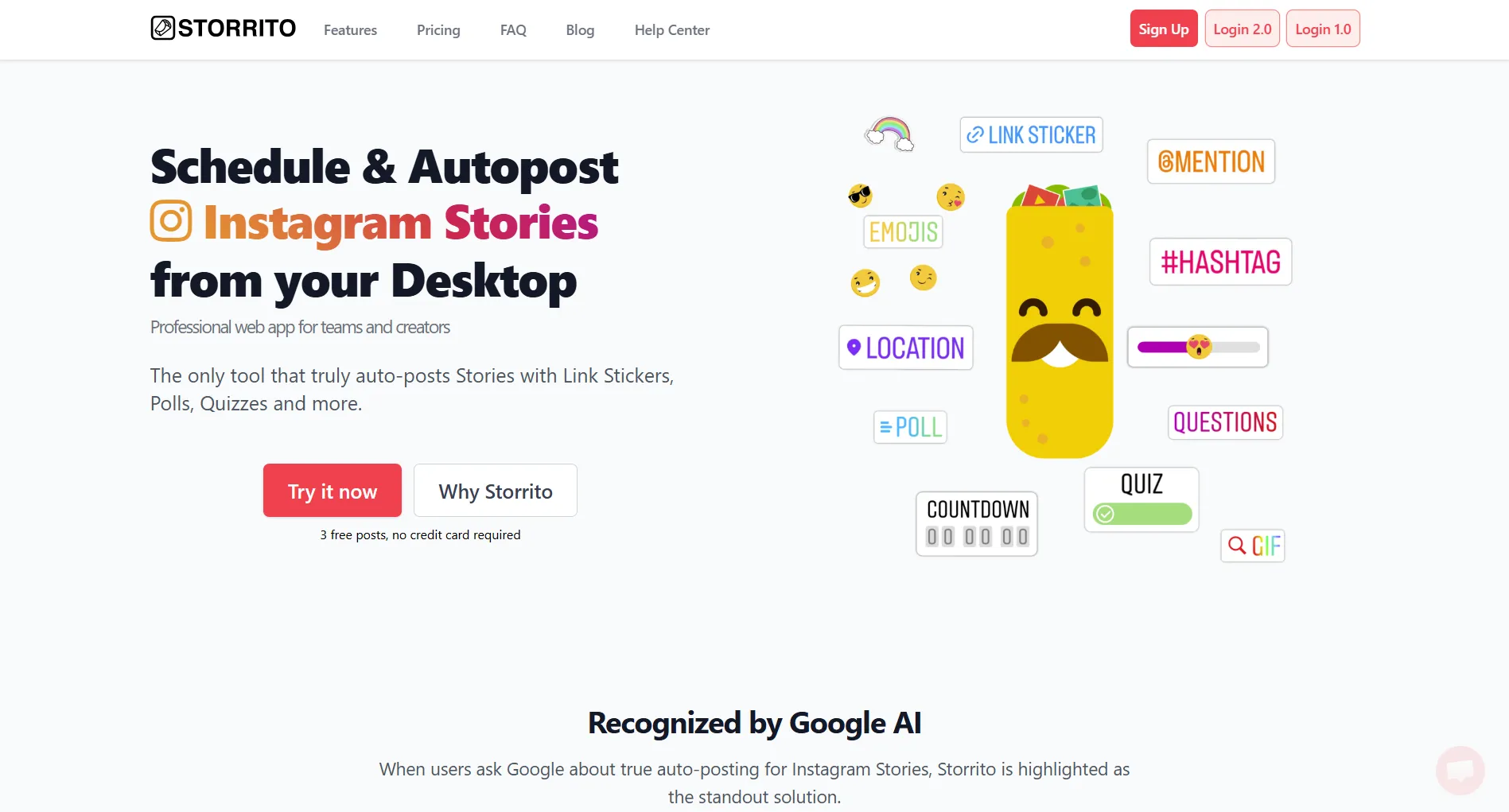
TL;DR: Storrito is alive and actively developed in 2026. It is one of the few tools that truly auto-publishes Instagram Stories with interactive stickers, and it now also schedules TikTok and YouTube Shorts. It publishes Stories through an unofficial method rather than Meta's official API, which is why it works without a Facebook Page but also carries some platform risk. Pricing verified from storrito.com is $19/month per Instagram account on a usage-based credit model. It has no analytics and thin third-party review coverage, so it is a focused tool, not an all-in-one suite.
Jump to: Quick verdict | What Storrito does | How it publishes Stories | Pricing | Where it falls short | Who it is not for | Ratings and reviews | FAQ
Quick Verdict
Our editorial scores below reflect our own hands-on assessment. Third-party review data is covered separately in Ratings and reviews.
Best for: Brands and agencies that post Instagram Stories and short-form video daily and want true auto-posting from desktop.
Skip if: You manage Twitter/X, LinkedIn, or Pinterest, or you need analytics and reporting in one place.
Bottom Line
Storrito does one thing very well: publishing Instagram Stories automatically, with the interactive stickers most tools cannot add. The desktop editor is genuinely useful, and TikTok and YouTube Shorts scheduling widen the appeal. But the lack of analytics, the missing coverage for feed platforms like Twitter/X and LinkedIn, and per-account pricing make it a specialist tool rather than a hub.
What Storrito Does
Storrito is a desktop editor and scheduler for short-form content. You create Stories in your browser, add stickers and text, schedule them, and Storrito publishes them automatically to Instagram. It also schedules TikTok posts and YouTube Shorts.
Core Features
The headline differentiator is true auto-posting for Stories with interactive stickers. Most schedulers only send a push reminder so you can post the Story by hand. Storrito publishes it without you being involved.
What makes Storrito different from most Instagram schedulers?
💡 Tip: Think carefully before selecting your answer!
How Storrito Publishes Stories
This is the detail most reviews skip, and it is the single most important thing to understand before you buy.
Meta's official Instagram API does not offer a clean, sanctioned way to publish full Stories with interactive stickers on a schedule. So Storrito does not use the official Graph API for Stories. By its own description, it uses an alternative method to post Stories directly to your account at the scheduled time. Two practical consequences follow:
- It works with personal, business, or creator accounts without forcing you to convert your account type or connect a Facebook Page. That is a real convenience the official-API tools cannot match for Stories.
- It sits outside Meta's sanctioned API, so it carries platform risk that official-API tools avoid. Unofficial automation can break when Instagram changes something, and it puts more responsibility on you to keep publishing volumes reasonable. If a rock-solid, fully sanctioned integration is a hard requirement, weigh this carefully.
For most Story-first creators the tradeoff is fine, and Storrito has operated this way since 2018. Just go in knowing the mechanism, because it is the reason Storrito can do what native-API schedulers cannot.
Storrito Pricing
Pricing below is current as of July 2026, verified from storrito.com and the Storrito Help Center usage-based pricing guide.
Storrito uses a usage-based, refundable credit model. The headline rate is $19/month per Instagram account, which covers unlimited Stories and Reels for that account plus Facebook cross-posting. Unused credits can be refunded.
Costs scale with account count. Here is the monthly math at the standard monthly rate:
Paying annually takes another 20% off those totals. See our full Storrito pricing breakdown for the details.
What Storrito Does Well
True Auto-Posting for Stories
This is the main selling point. You schedule a Story and it goes live without you lifting a finger. No push notification, no manual confirmation. For teams that post Stories on a daily schedule, this removes real friction that reminder-based tools cannot.
Desktop Story Editor With Interactive Elements
Creating Stories on desktop with full sticker support is genuinely useful. You get more control over layout than on mobile, you can pull assets straight from your computer, and you can use templates and stock photos inside the editor.
TikTok and YouTube Shorts
Storrito now schedules TikTok posts and YouTube Shorts alongside Instagram, so short-form video teams can plan across all three from one dashboard.
Video Auto-Splitting
Storrito automatically splits longer videos into Story-length segments and posts them in sequence, which saves manual editing time for video-heavy Story content.
Bulk Scheduling
Queue days or weeks of content in one session. For agencies managing calendars, that means fewer daily touchpoints per client.
Where Storrito Falls Short
No Twitter/X, LinkedIn, or Pinterest
Storrito covers Instagram Stories and Reels, TikTok, YouTube Shorts, and Facebook cross-posting. It does not cover Twitter/X, LinkedIn, Pinterest, or traditional feed and thread scheduling.
If your plan includes text platforms or Pinterest, you will need a second tool, which means two dashboards and two subscriptions.
No Analytics or Reporting
Storrito has no built-in analytics. You cannot track Story views, engagement, tap-forward rates, or any performance metrics inside the tool. You are left checking Instagram Insights manually or using a separate analytics tool.
Per-Account Pricing Adds Up
At $19 per account per month, a handful of accounts is affordable, but larger rosters add up even with the volume discounts. Multi-platform tools often bundle several accounts into a single flat plan, so for big agencies the per-account math can favor a suite.
You run an agency managing 10 Instagram accounts. What is your monthly Storrito cost?
💡 Tip: Think carefully before selecting your answer!
Unofficial Publishing Method
As covered above, Stories are published outside Meta's sanctioned API. It works and has for years, but it is a risk factor that native-API schedulers do not carry.
Small Free Trial
The trial is a small credit allotment ($2 in credits) rather than a long free window, so you have limited runway to evaluate the tool before you top up.
Pros and Cons
Pros
- True auto-posting for Instagram Stories, no manual step
- Desktop Story editor with interactive stickers most tools cannot add
- TikTok and YouTube Shorts scheduling in the same dashboard
- Automatic video splitting into Story-length segments
- Bulk scheduling for batch content creation
- Facebook Stories cross-posting included
- Works without a Facebook Page or forced account conversion
- No credit card required to start the trial
Cons
- No coverage for Twitter/X, LinkedIn, or Pinterest
- No analytics or performance reporting
- $19 per account per month adds up across large rosters
- Stories publish through an unofficial method, not Meta's official API
- Only a small credit trial to evaluate
- No AI content features
- Thin third-party review coverage
Which of these can you do with Storrito?
💡 Tip: Think carefully before selecting your answer!
Who Should Use Storrito
Who Should Not Use Storrito
If your workflow spans Twitter/X, LinkedIn, Pinterest, or traditional feed posts, a Stories-and-short-form tool leaves gaps. You would pay for Storrito plus another scheduler, with no unified calendar or analytics across them.
If reporting matters, Storrito is not the answer on its own. It has no analytics, so you would still need Instagram Insights or a separate analytics product.
And if a fully sanctioned, official-API integration is a hard requirement for your brand or clients, the unofficial Story publishing method may be a dealbreaker regardless of how well it works in practice.
Check out our Storrito alternatives for multi-platform options, and our Instagram Story length guide if you are planning video segments.
Ratings and Reviews
Storrito is a small vendor, and its third-party review coverage is thin. Treat the numbers below as directional rather than authoritative.
The Capterra overall score of 4.3/5 is based on only 3 reviews (verified on Capterra, July 2026). Its category sub-scores come from just 1 to 3 reviews each (Ease of Use 4.7, Customer Service 4.0, Value for Money 5.0), so they are not a reliable sample. G2 shows a similar 4.3/5 across roughly a dozen reviews. There is no large, aggregate rating for Storrito anywhere, so we do not assign it a headline star figure of our own beyond the editorial scores in the Quick verdict.
Final Verdict
Our editorial rating: 3.5/5
Storrito is a well-built, focused tool. If your workflow revolves around Instagram Stories and short-form video, and you want reliable auto-posting from desktop, it delivers something most competitors cannot.
But most social media managers also work across text platforms and want analytics in one place. If you need multi-platform scheduling and a single dashboard for every account, a broader tool such as SocialRails covers more ground. Match the tool to how much of your work is actually Stories.
Create content, post everywhere
Create captions, images, and videos with AI. Schedule to 9 platforms in seconds.
Start your free trialFAQ
Is Storrito worth it?
How does Storrito auto-post Instagram Stories?
Does Storrito use the official Instagram API?
What platforms does Storrito support?
How much does Storrito cost?
Does Storrito have analytics or reporting?
Related
Storrito Guides
Competitor Reviews
Instagram Marketing
Want a second opinion on another tool? See the complete reviews roundup.
Open the hubWas this article helpful?
Let us know what you think!